
The Falconry App Built for Serious Falconers
FalconryLab is the offline-first falconry app that replaces spreadsheets, notebooks, and weather apps with one elegant platform. Track weight with automatic burn rate calculations, log hunts with GPS, and manage training — all in one place.
Get the App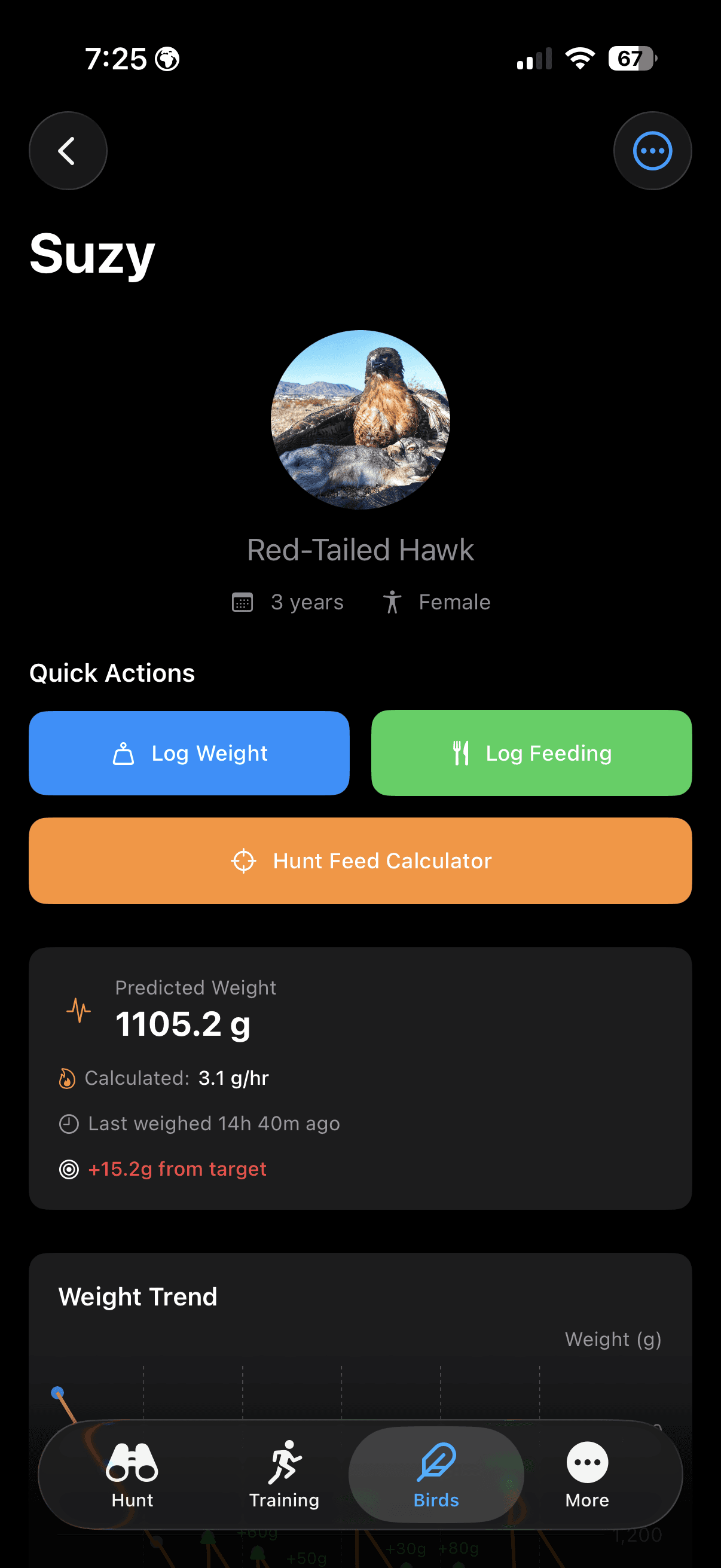
Falconry Weight Tracking & Analytics
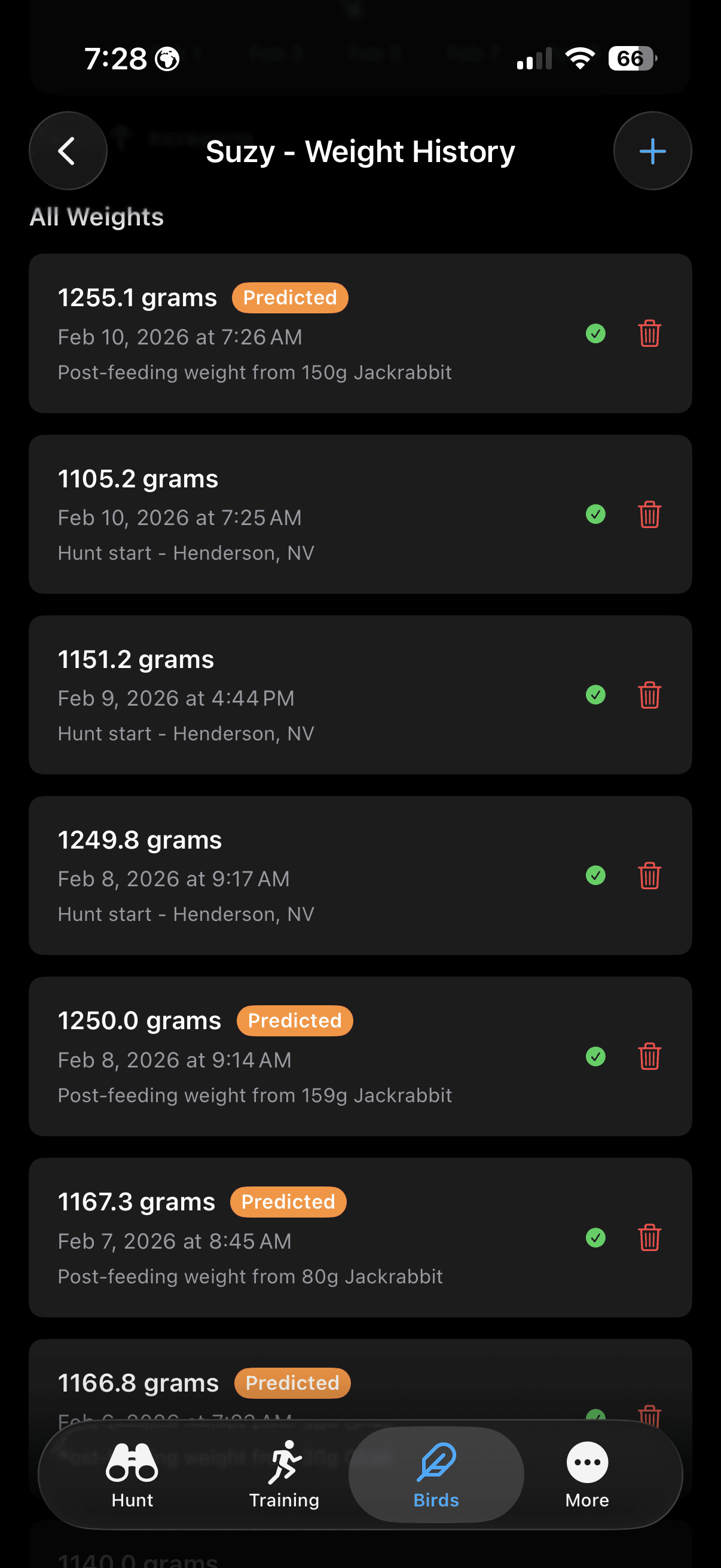
Keep detailed records of your bird's weight and feeding history. FalconryLab goes beyond simple logging with automatic burn rate calculations and falconry weight predictions that help you make informed decisions about your bird's condition.
Weight management is the cornerstone of falconry, and FalconryLab's tracking goes beyond simple record-keeping. The app measures your bird's burn rate from its own logged weights and feedings, projects its weight forward from that rate, and marks a reading as stale when the last weigh-in is old enough that the projection should not be trusted. The rate sharpens as the record grows: until there are two weights in the window it uses the estimate you set, and after that it is your bird's own number rather than a species average. What the trend view is for is seeing the shape — the drift across a week that a column of figures on paper hides.
How Falconers Use Weight Tracking
A typical morning with FalconryLab starts at the scale: weigh the bird, tap the weight into the app, and immediately see yesterday's burn rate, the predicted weight for tomorrow, and a recommendation for today's feeding amount. What used to require calculating from yesterday's notebook entry happens automatically in seconds.
FalconryLab gives every bird its own complete weight history, training timeline, and hunt record. The number of active bird profiles depends on your plan; archived birds do not count toward it. Whether you fly a single Red-tailed Hawk or manage a mews full of multiple species, every bird gets individual tracking with species-appropriate defaults for weight ranges, feeding recommendations, and training milestones. Archived profiles preserve historical data for birds that have been released or retired, maintaining your complete falconry record across years of practice.
How Falconers Use Bird Profiles
A general-class falconer managing a Red-tailed Hawk and a Harris's Hawk switches between profiles with a swipe. Each bird has its own weight history, feeding schedule, and training timeline. During the molt, the falconer archives the Red-tail's profile and starts a new season with the Harris's Hawk, keeping all historical data intact for comparison.
Falconry Feeding Calculators
Two calculators for the two questions that come up every day: how much to feed before a hunt, and how much the bird actually ate. Both work from the weights and feedings you have logged, so the numbers are your bird's own — not a table average.
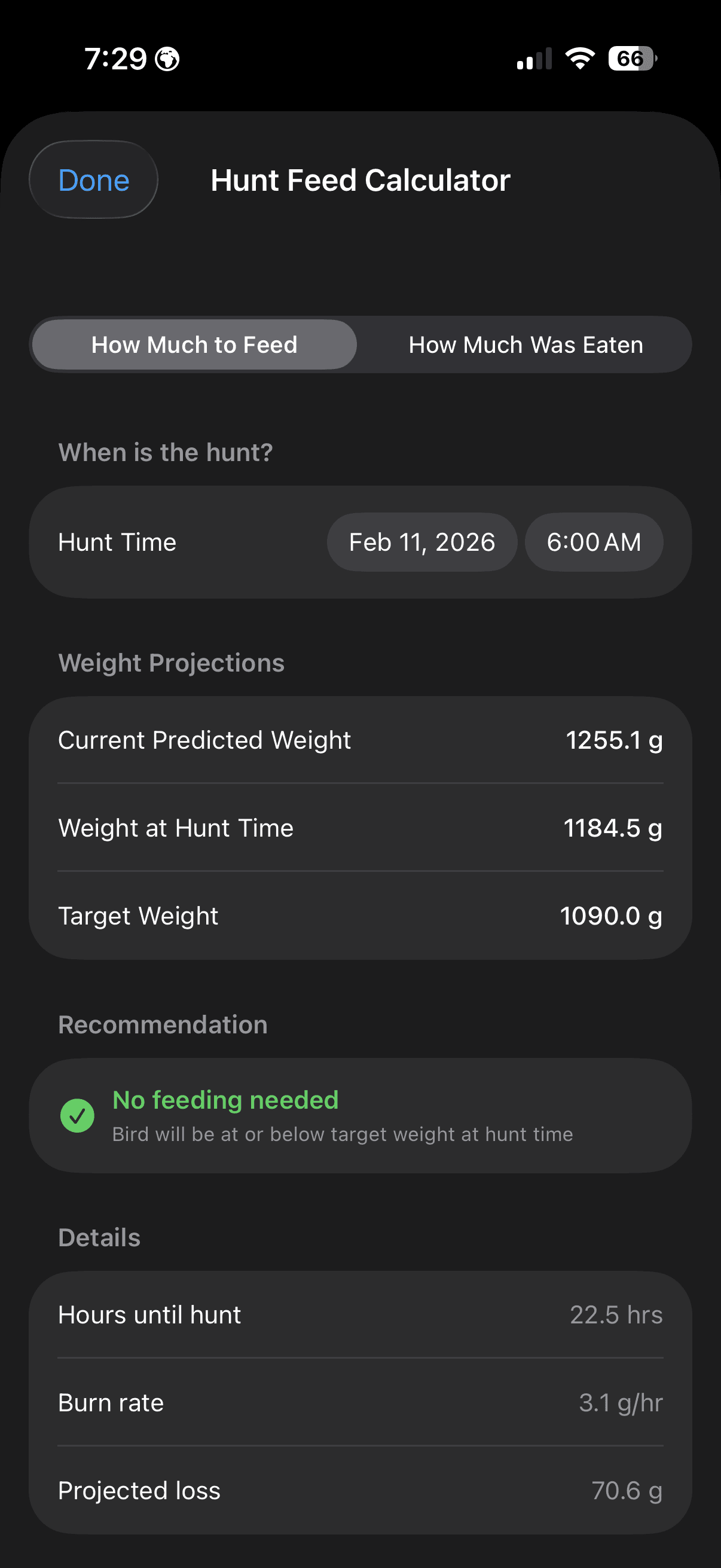
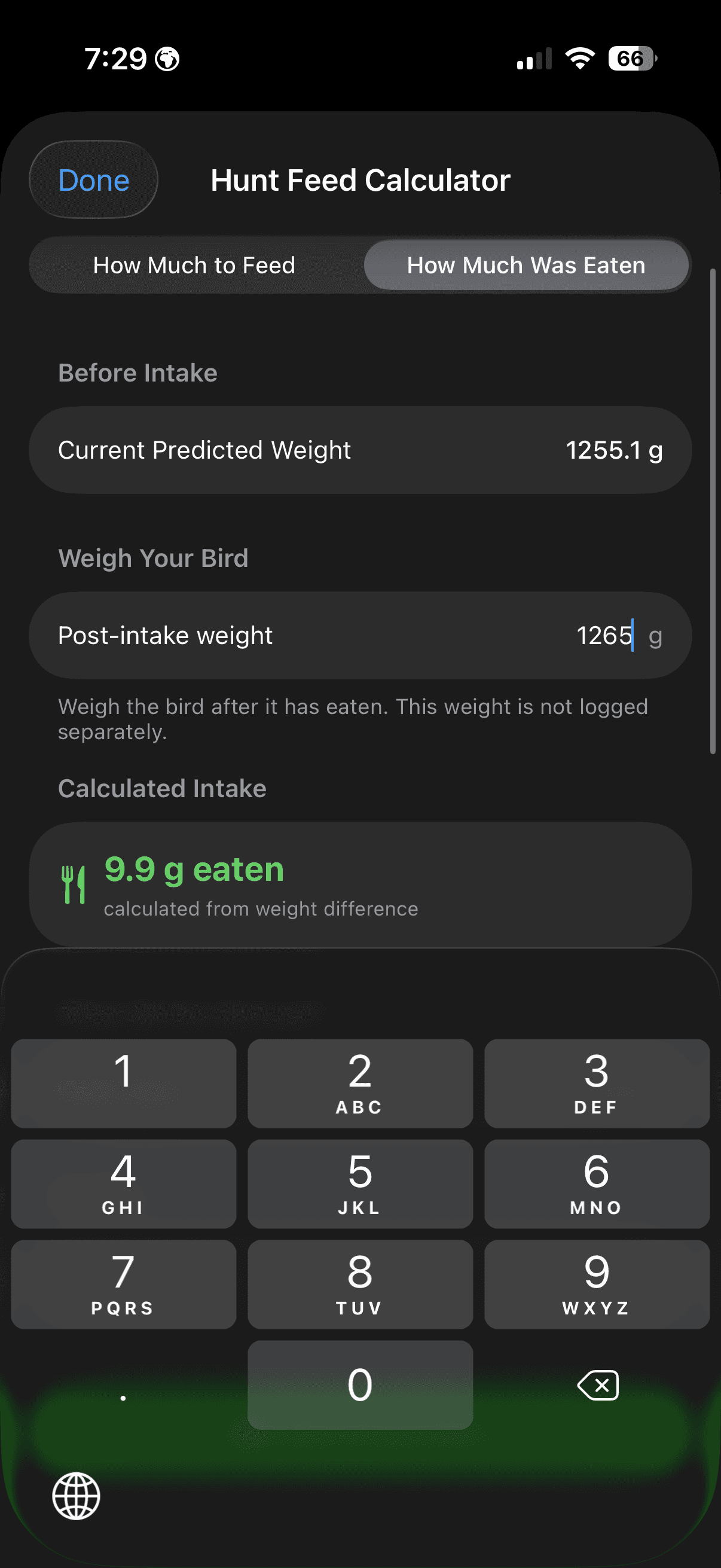
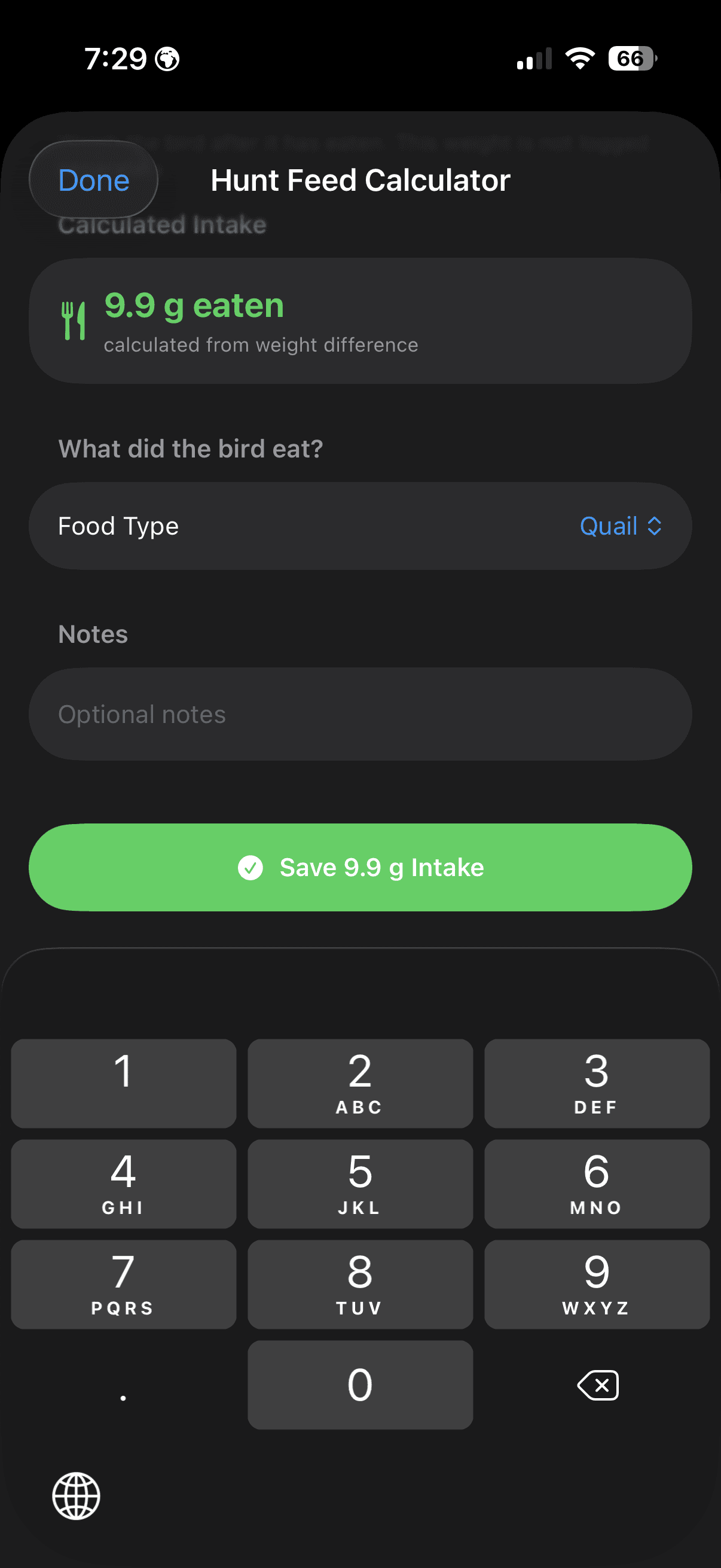
Burn rate is measured from your bird's own weights and feedings, and falls back to the estimate you set until there is enough history to measure.
The two calculators answer the two questions falconers ask every day: how much should I feed, and how much did my bird actually eat? The first works forward from a hunt time you choose, up to twenty-four hours out. It projects the bird's weight at that moment — the last logged weight, minus the burn rate multiplied by the hours in between, plus anything fed since — and subtracts that from your target. What remains is the number of grams to make up. If the projection already sits at or above target, it says no feeding is needed rather than inventing a portion. The burn rate behind that projection is measured from your own bird rather than looked up. Across a rolling window it takes the first and last weights, adds back everything fed between them, and divides by the hours elapsed — so only the endpoints and the food matter, and a noisy midday reading cannot skew the rate. Until there are two weights in the window it falls back to the estimate you set yourself. The second calculator runs the same arithmetic in reverse. Weigh the bird once it has eaten, and the difference between that number and its predicted weight is what went in. It saves as a feeding log with the food type; the post-intake weight is deliberately not stored as a body weight, because a bird with a full crop is not at its true weight. Neither calculator models ambient temperature, species physiology or training intensity. They are narrow on purpose: arithmetic on your bird's own record, with every input on screen — hours until the hunt, grams per hour, projected loss — so you can see where the number came from and overrule it when your judgement says otherwise.
How Falconers Use the Feeding Calculators
After the morning weigh-in, the falconer opens the calculator and sets tomorrow's hunt time. The screen shows the predicted weight now, the projected weight at hunt time and the target, then the grams needed to close the gap, with the burn rate and the projected loss listed beside it. If the last weight is old enough to be unreliable, the calculator says so and asks for a fresh one rather than projecting from stale data. After the hunt, the falconer weighs the bird again, and the second calculator turns that single number into a logged intake.
Falconry Training Log
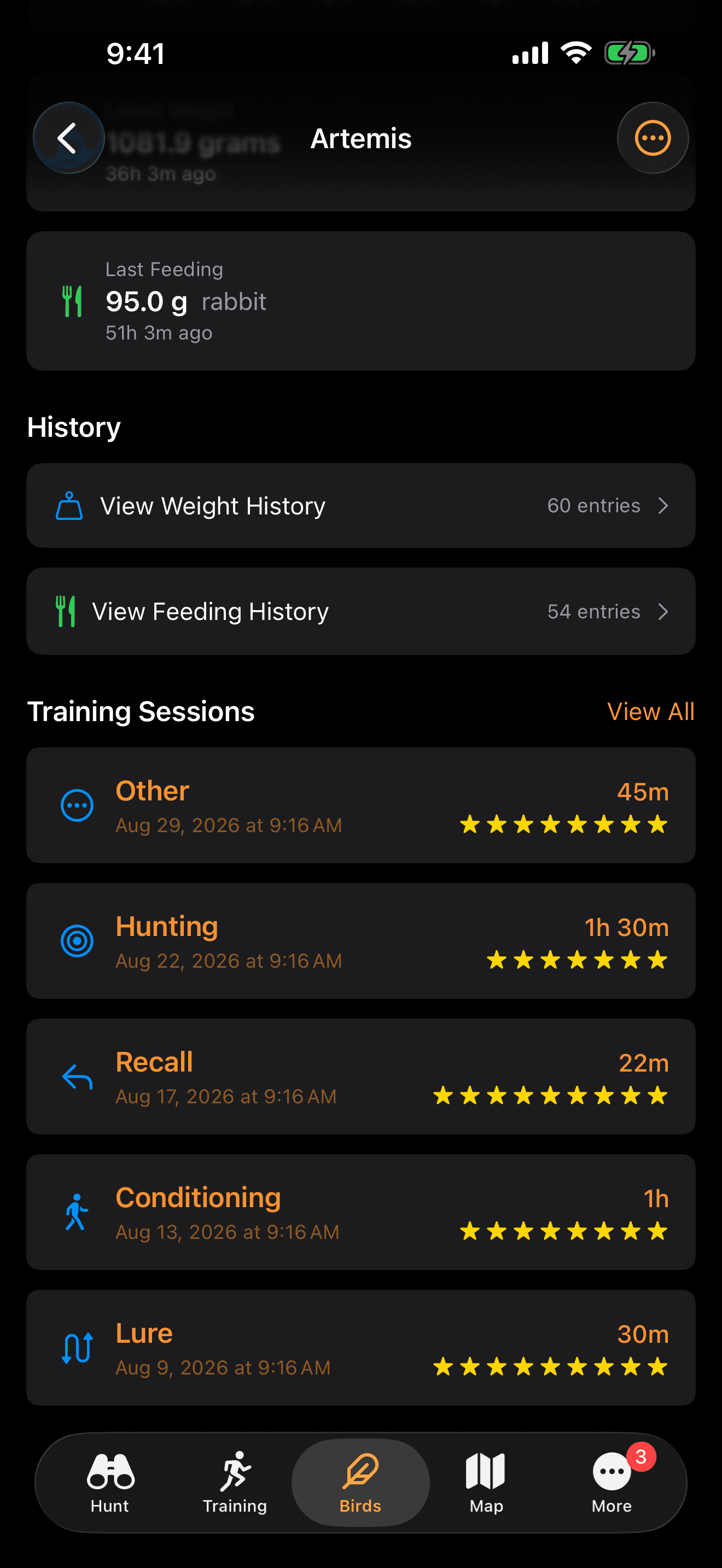
Log training sessions with automatic weather and location capture. Track progress across eight session types and understand what works best for you and your bird.
8 Session Types:
- Manning: Track taming and handling progress
- Creance: Log controlled flight training
- Recall: Track free flight recall sessions
- Lure: Record lure training progress
- Conditioning: Log fitness and conditioning work
- Hunting: Record field hunts with weather and location
- Enrichment: Track enrichment activities and environmental exposure
- Other: Custom sessions for any other activity
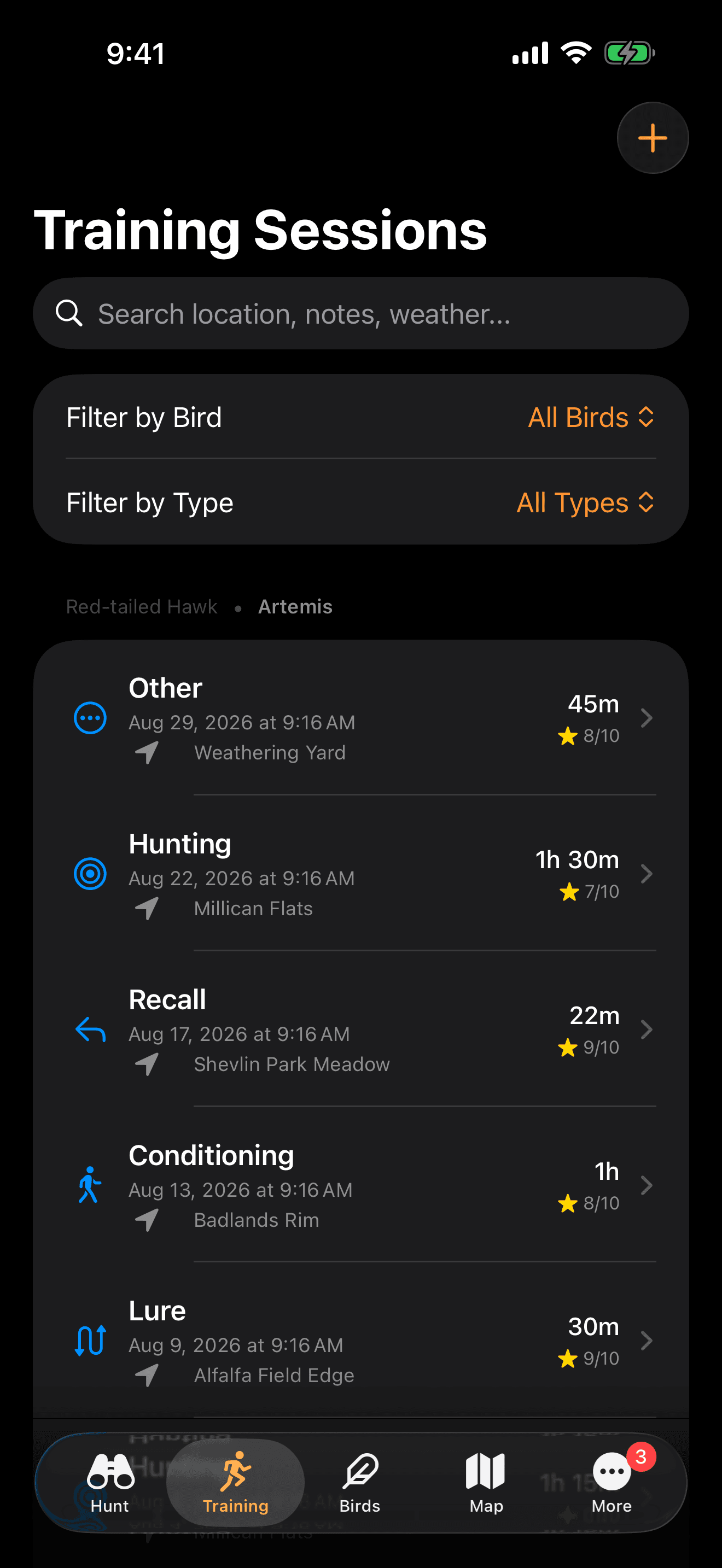
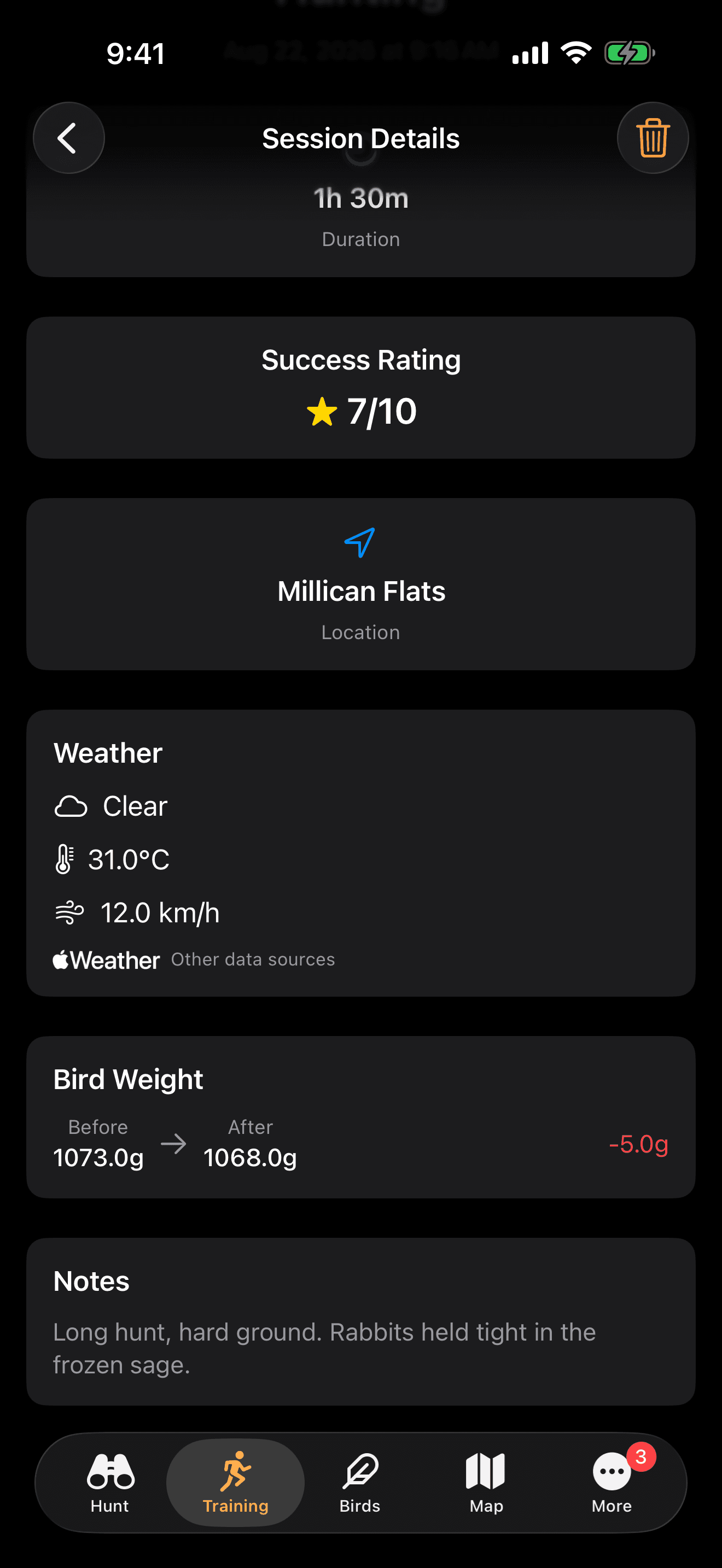
The training session logger captures eight distinct session types that mirror the actual training progression in falconry: manning, feeding on the fist, jump-ups, creance flights, free flights, hunting, maintenance, and custom sessions for specialized training scenarios. Each log automatically records weather conditions including temperature, wind speed, precipitation, and barometric pressure, along with GPS coordinates and session duration. Over a season, this creates a detailed training history that helps you identify what conditions produce the best responses from your bird and where training plateaus may require adjusted techniques.
How Falconers Use Training Logs
During a training session, the falconer starts a session timer with one tap. The app captures weather, location, and time automatically. Between flights, they rate each response and add brief notes. After the session ends, the complete record is saved with all context intact, no notebook required.
GPS Hunt Journal
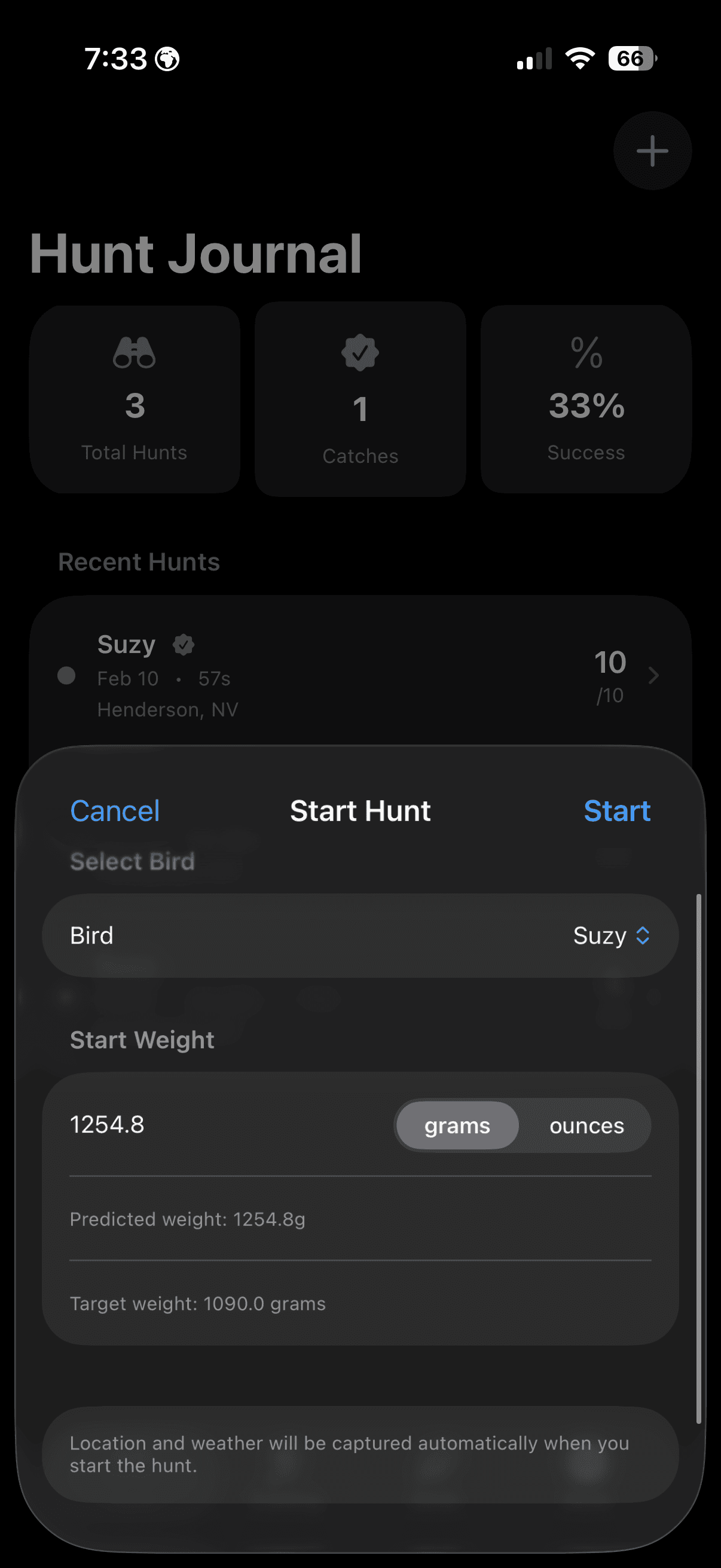
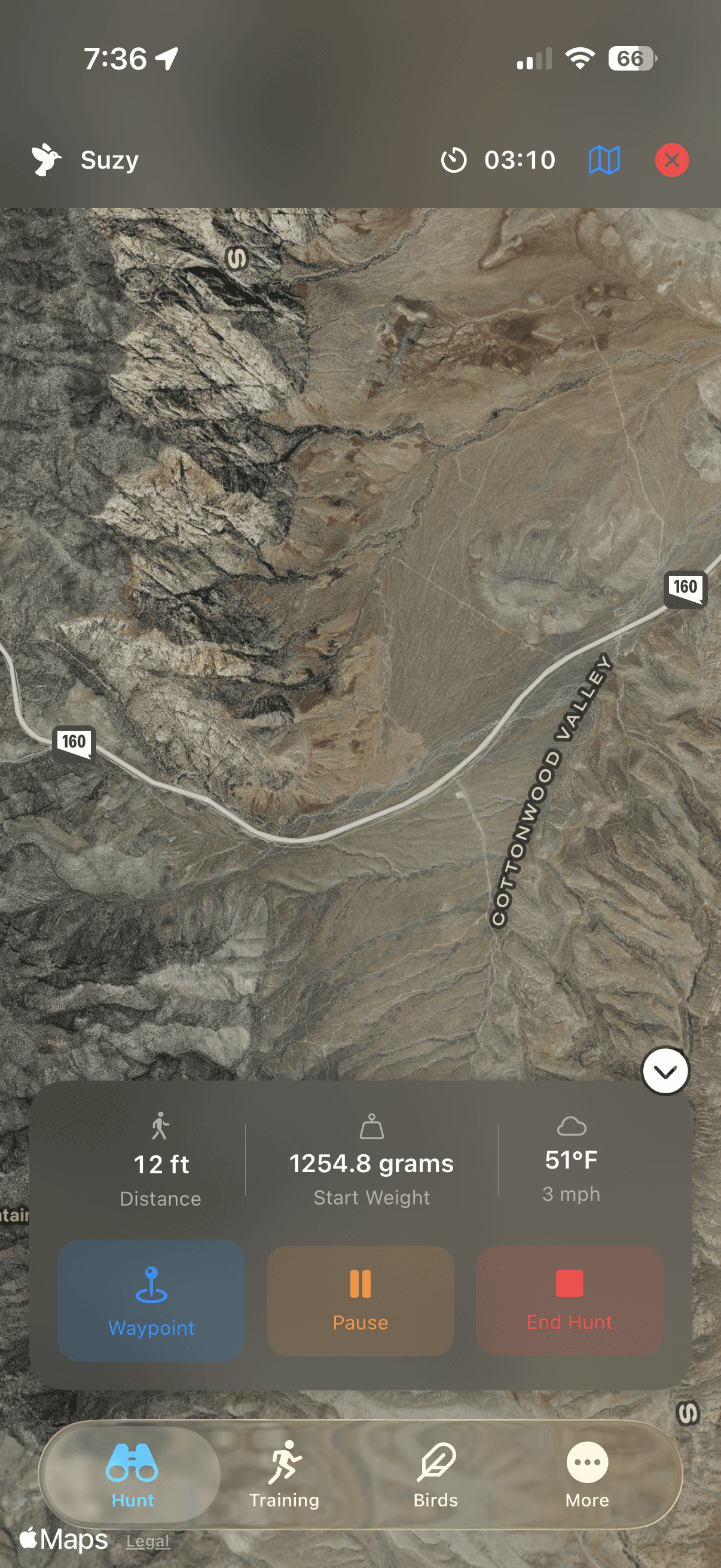
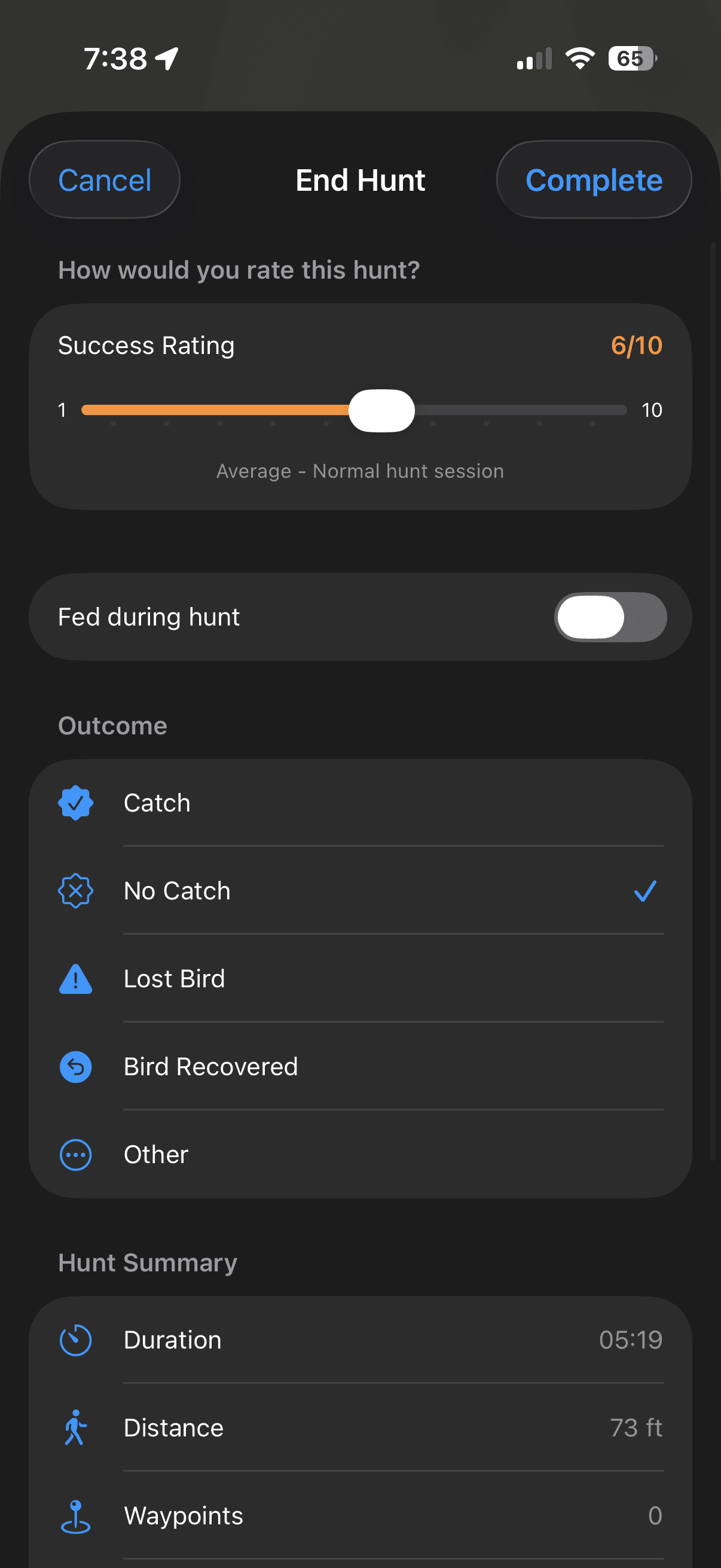
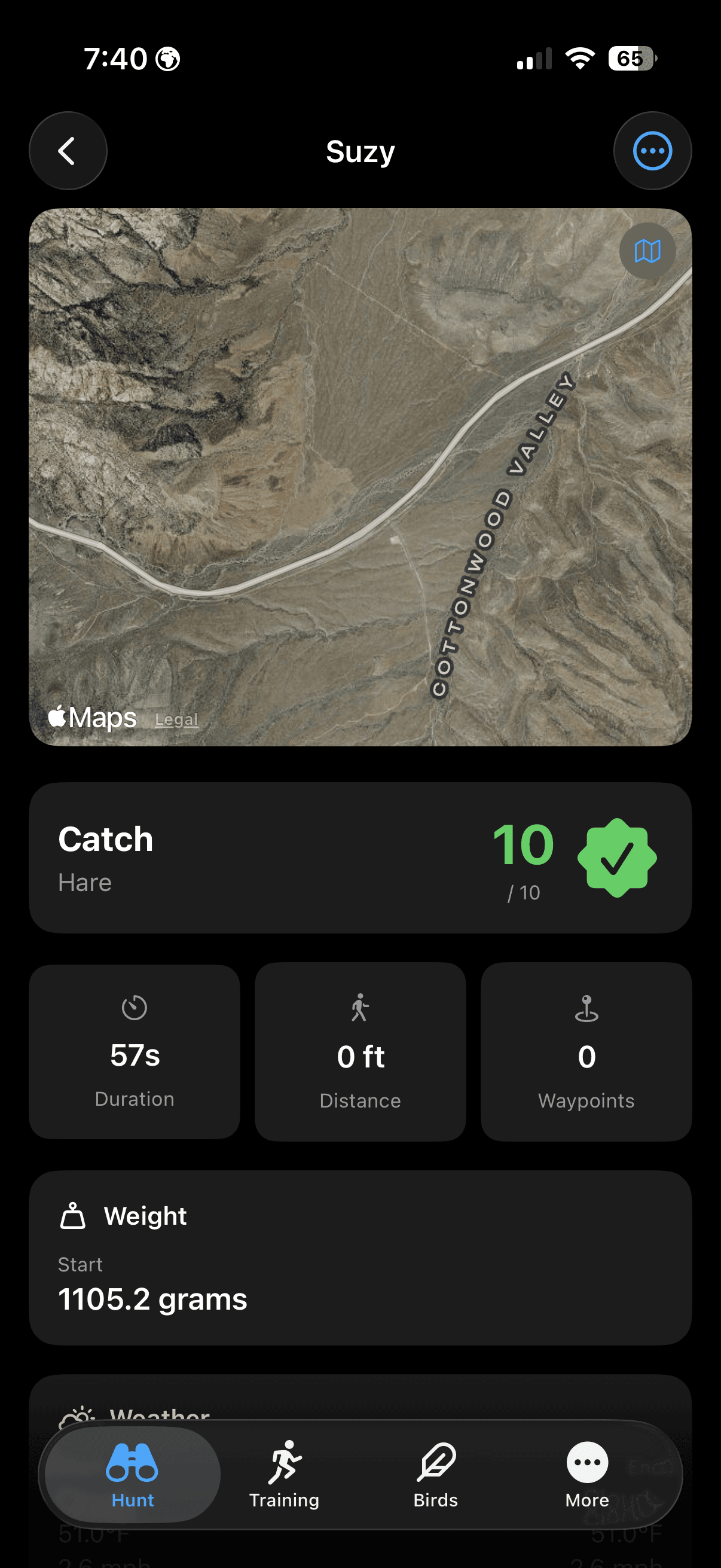
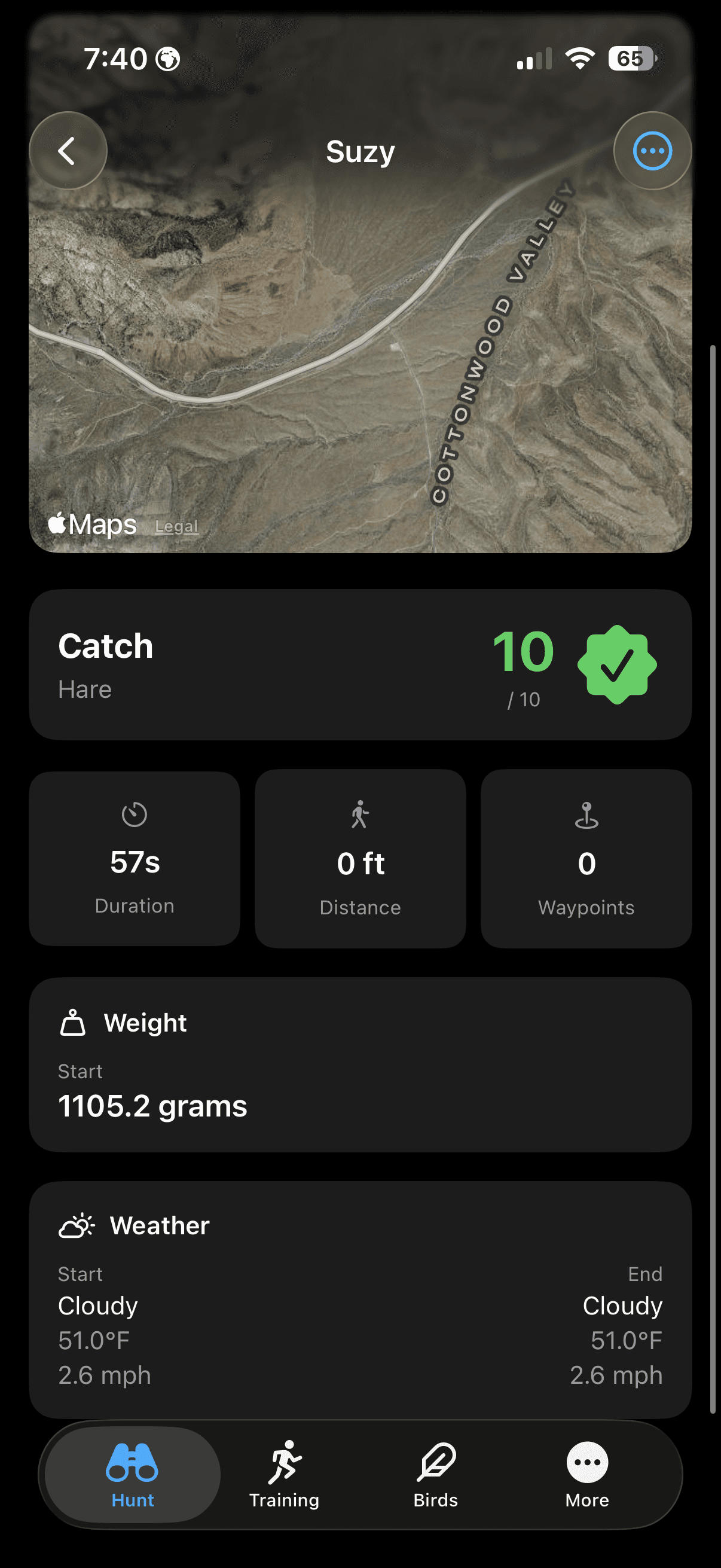
Turn every hunt into a detailed record. GPS path tracking, custom waypoints, automatic weather logging, and weight/feeding integration — everything you need to review and improve your fieldcraft.
Available with FalconryLab Pro, an in-app subscription.
Every hunt is a story worth remembering, and FalconryLab's journal turns each outing into a detailed, searchable record. GPS path tracking shows exactly where you walked, custom waypoints mark flushes, slips, and kills on the map, and automatic weather logging preserves the conditions that influenced the day's hunting. At the end of the season, your hunt journal becomes a valuable reference for planning next year's outings, identifying your most productive hunting spots, and tracking your bird's development from tentative first flights to confident kills.
How Falconers Use the Hunt Journal
In the field, the falconer activates GPS tracking and the app records their path silently in the background. They tap to mark waypoints when game is flushed, when a slip occurs, and when a kill is made. Post-hunt, they review the map, add notes about cover conditions and quarry behavior, and have a complete record that takes less than two minutes to finalize.
The Falconry Map
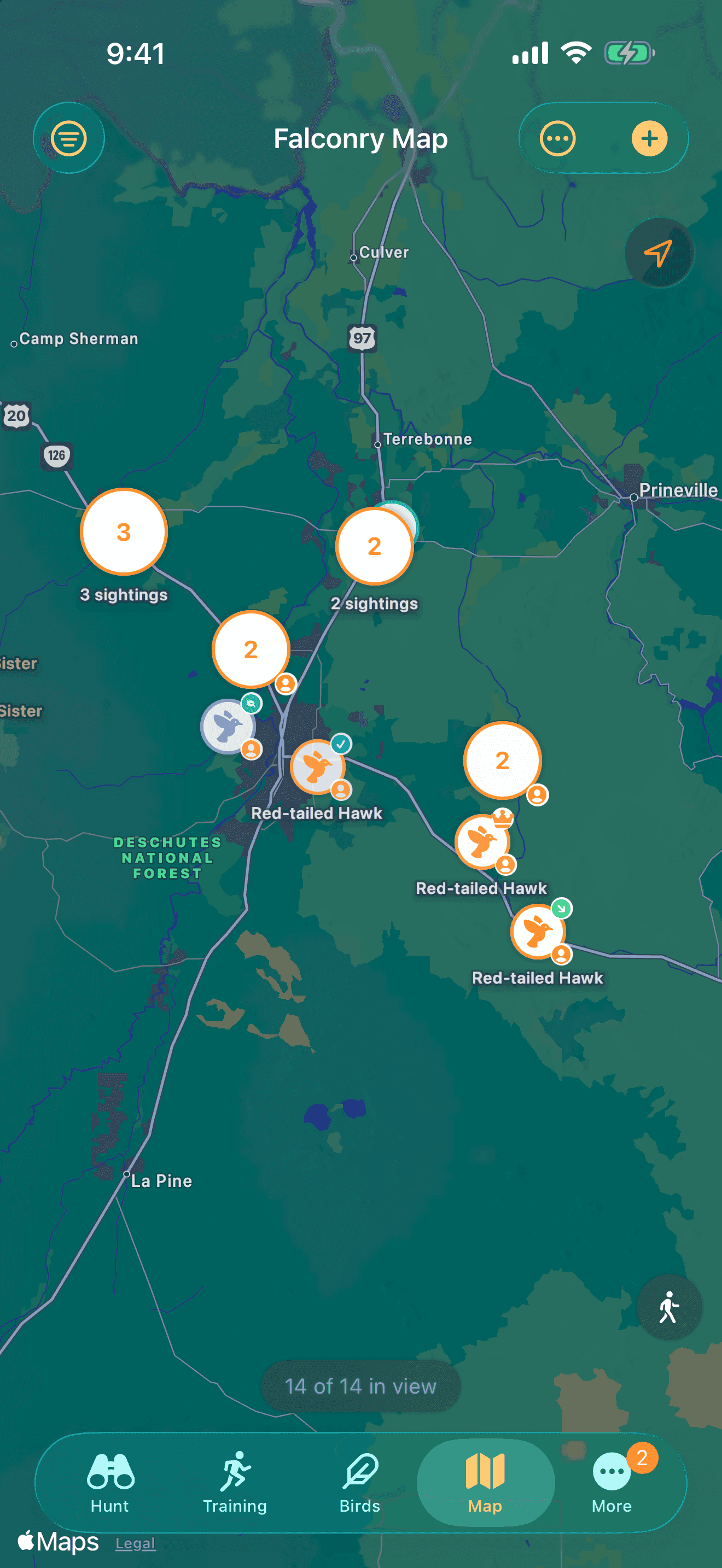
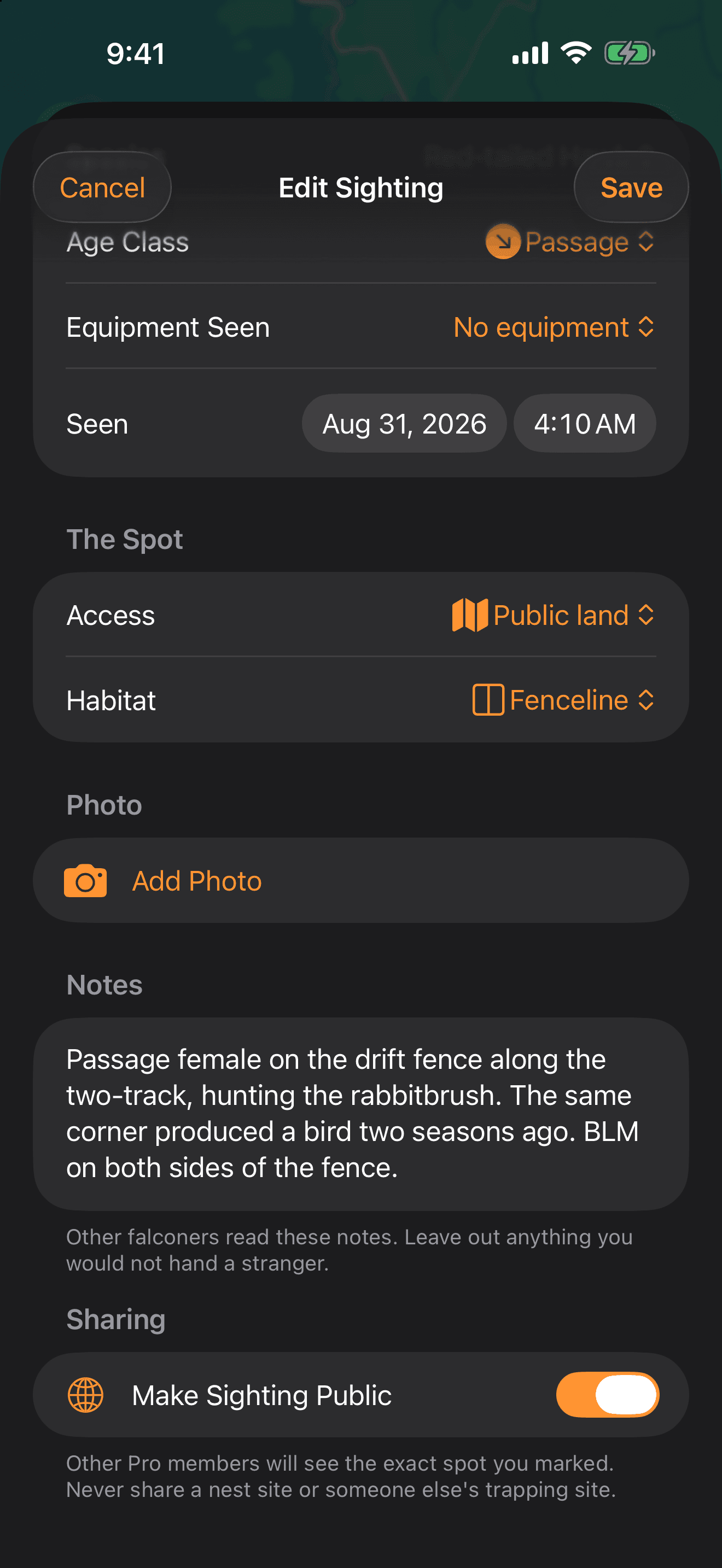
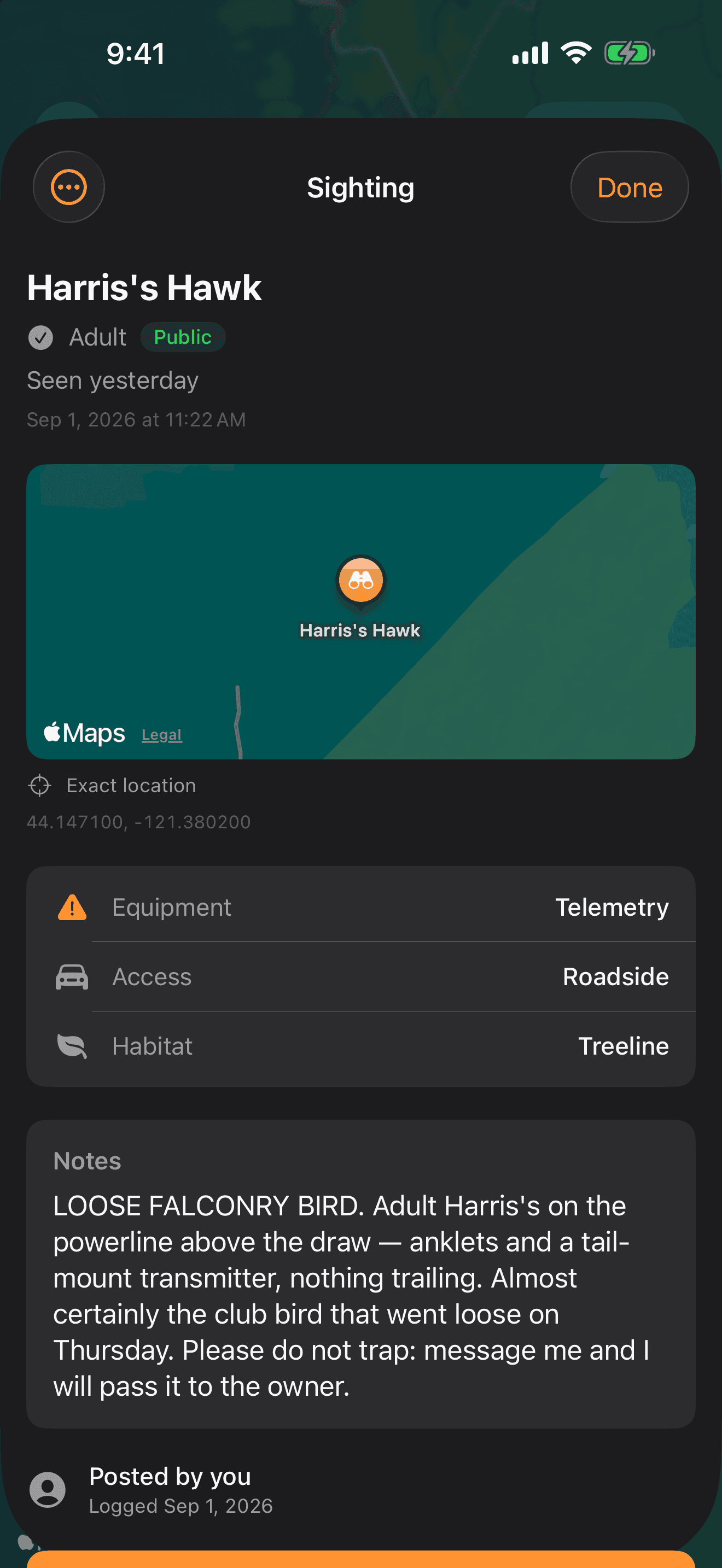
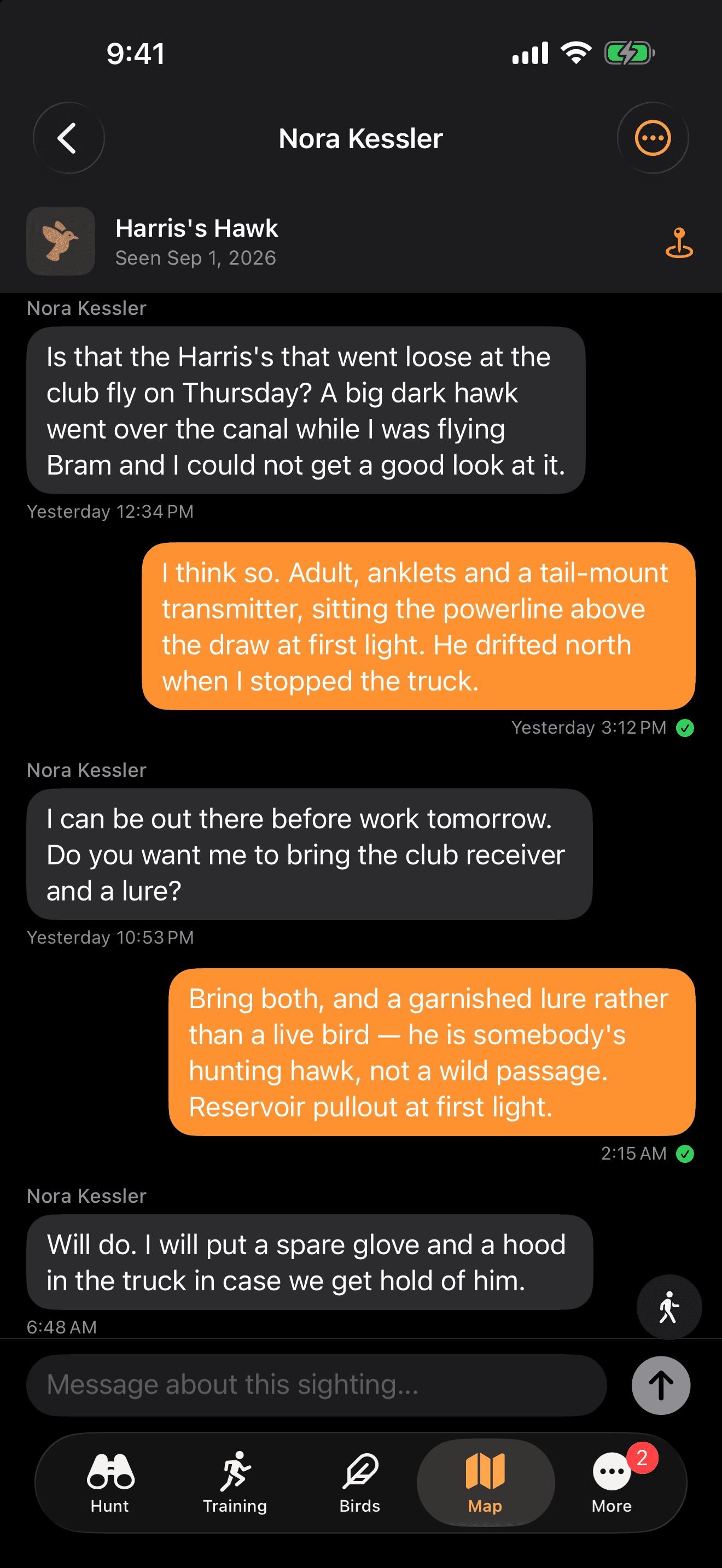
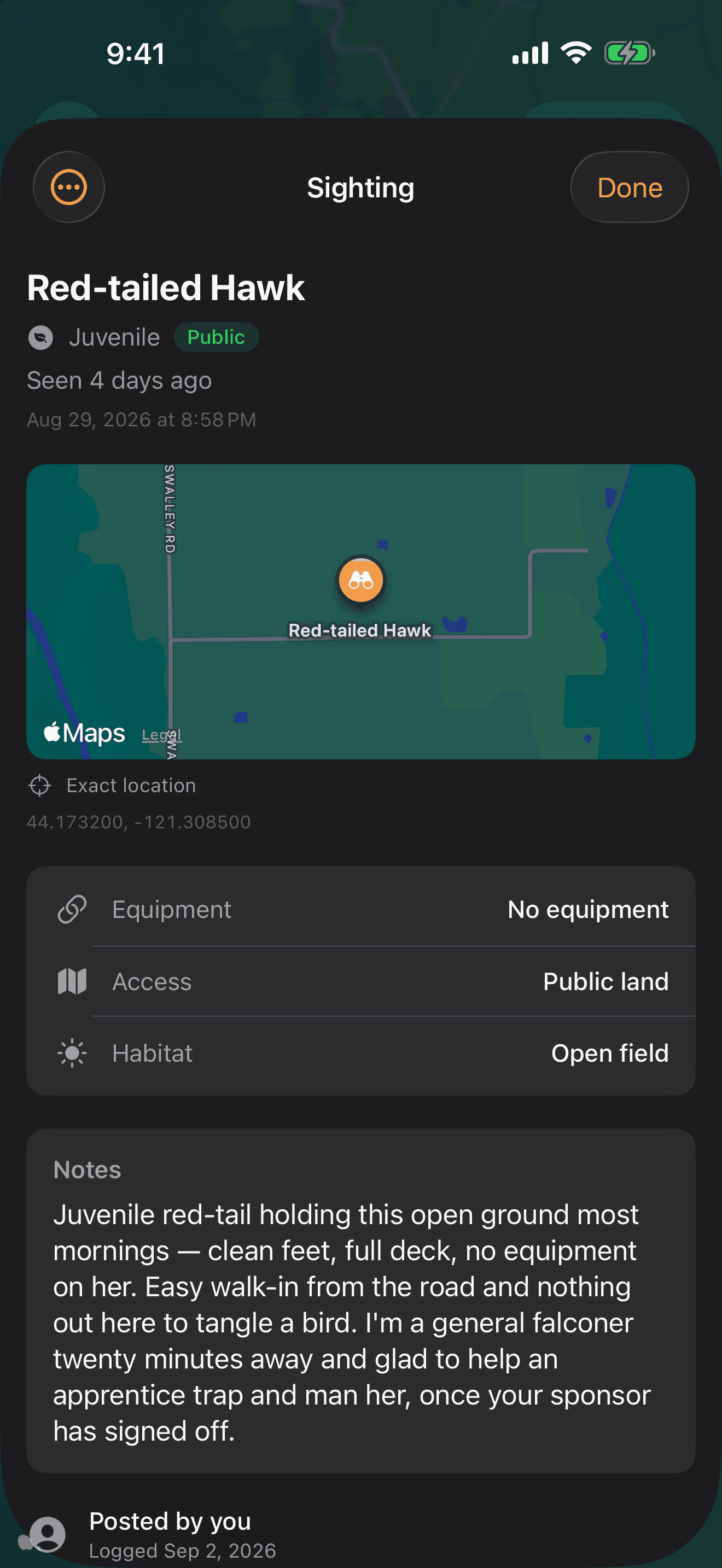
A shared map of raptor sightings, kept by falconers. Drop a pin on the exact spot you saw a bird, and see your own hunt trails laid over the same map. Every sighting starts private — nothing is shared until you decide it should be.
Included with every FalconryLab account, free.
Sponsor & Apprentice Matching
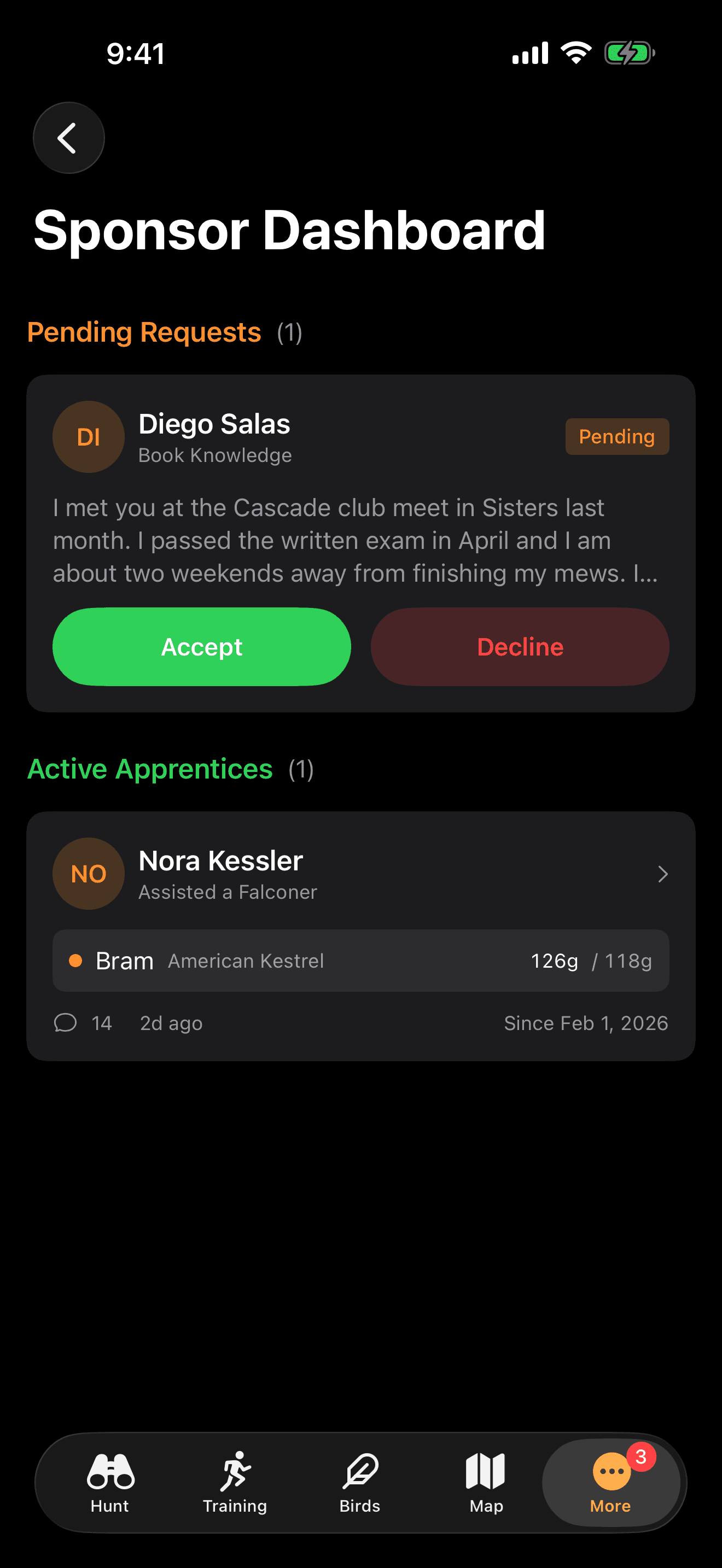
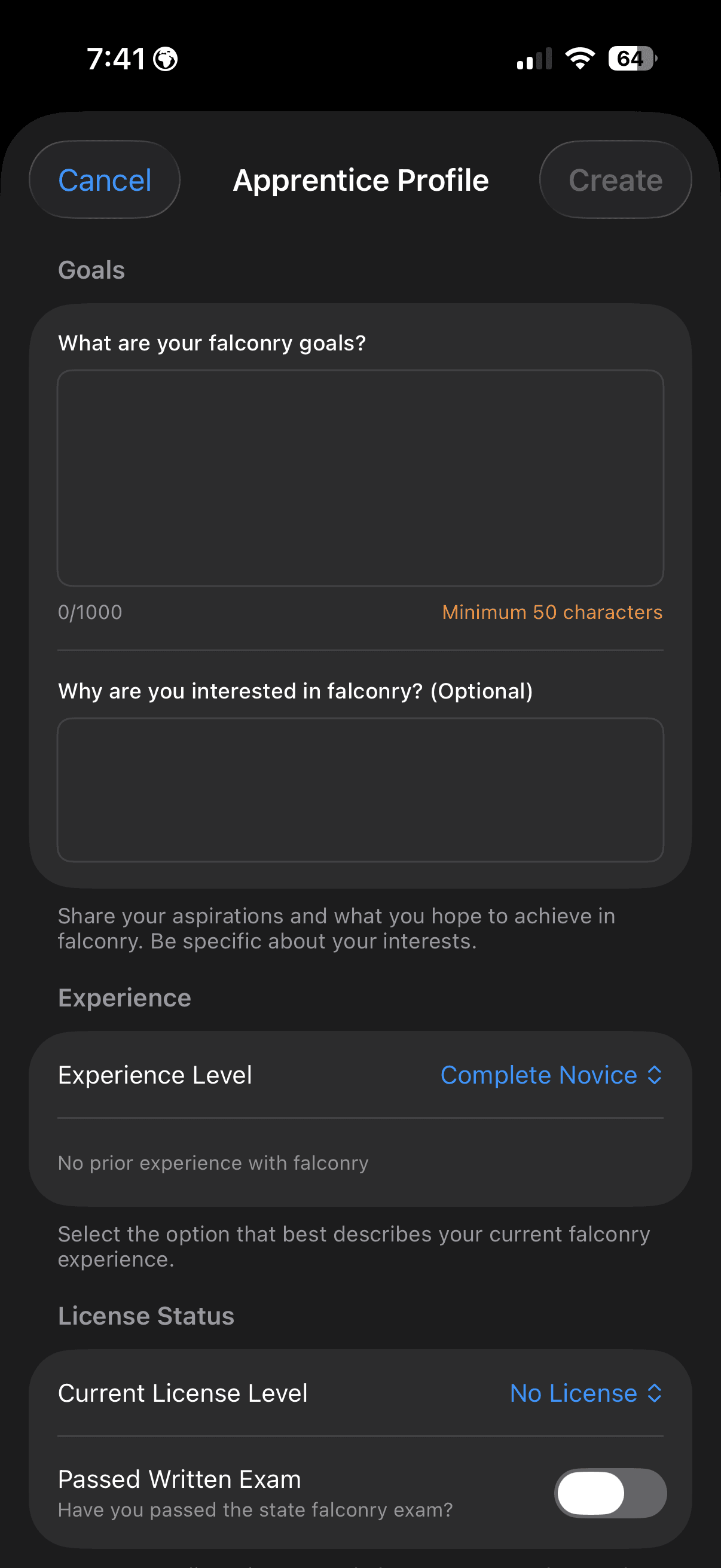
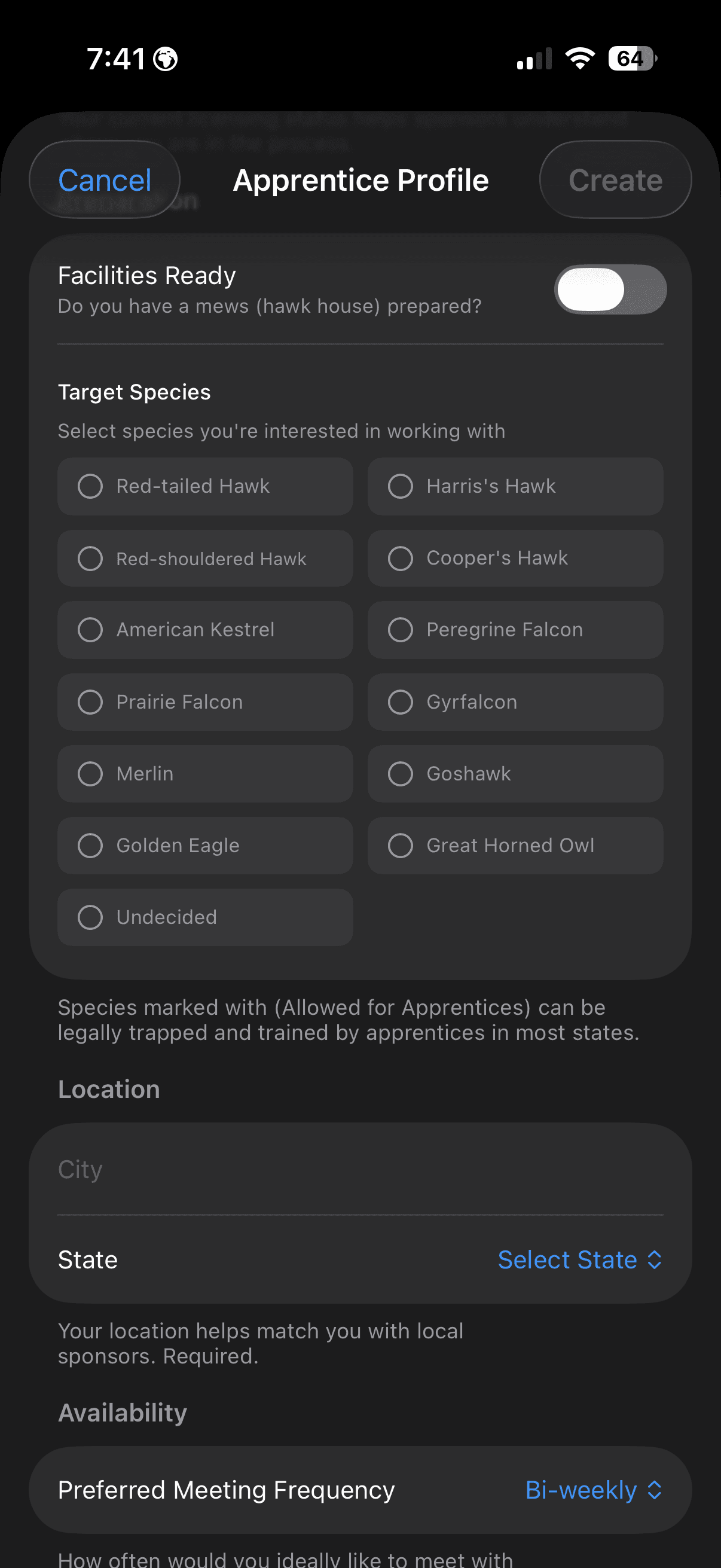
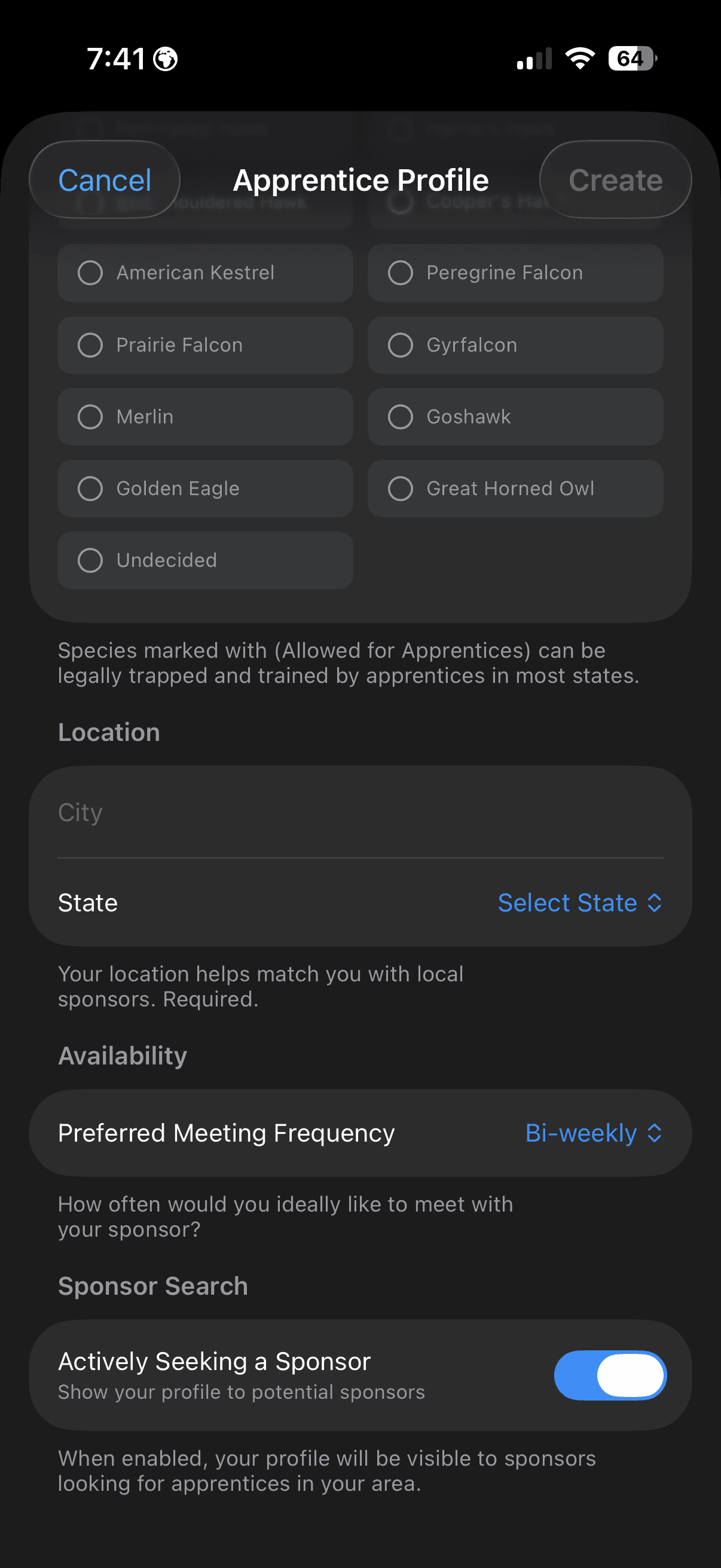
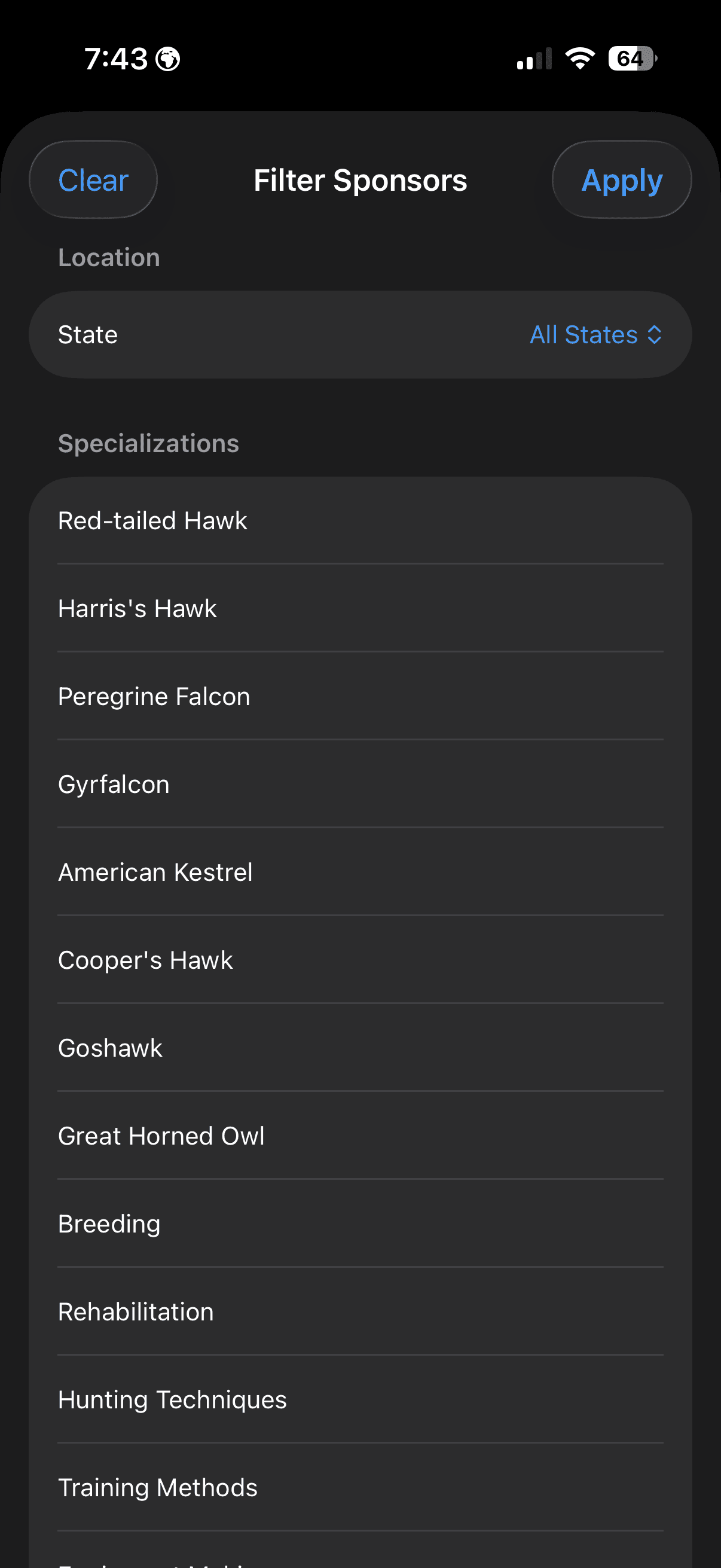
Connect apprentice falconers with experienced sponsors. FalconryLab makes it easy to find the right mentor or apprentice with detailed profiles, smart filtering, and in-app requests.
Team Management
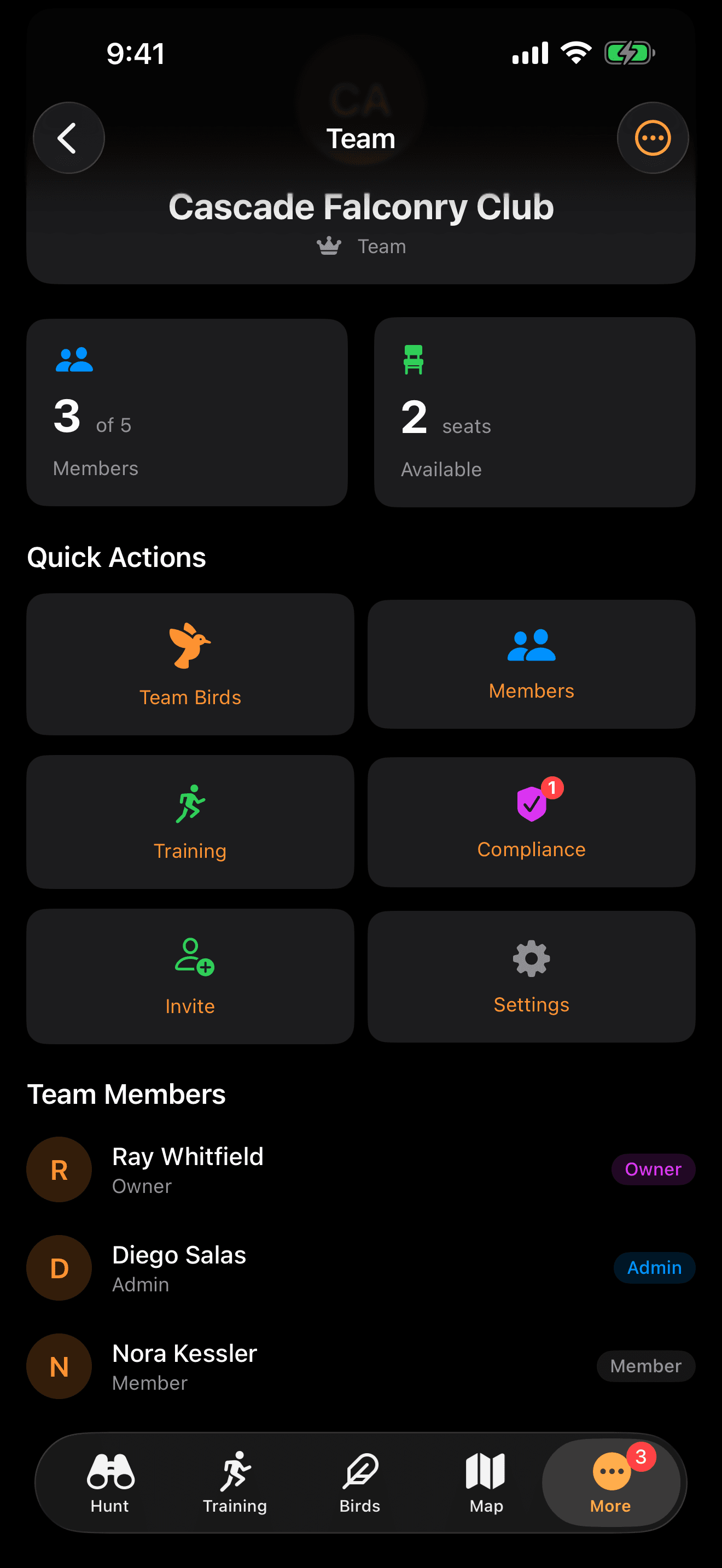
Manage your falconry team with a shared dashboard, member settings, and collaborative resources. Perfect for clubs, hunting groups, and sponsor-apprentice pairs.
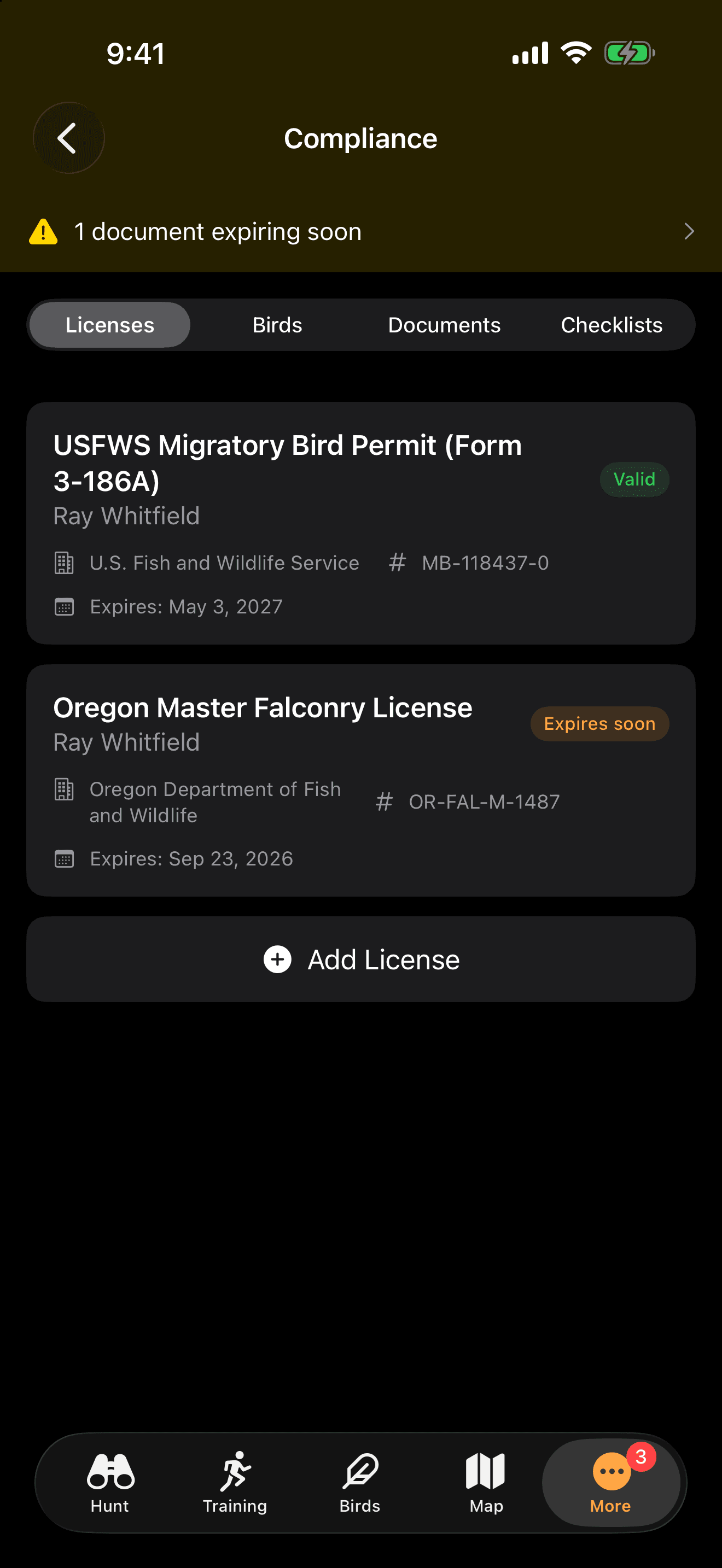
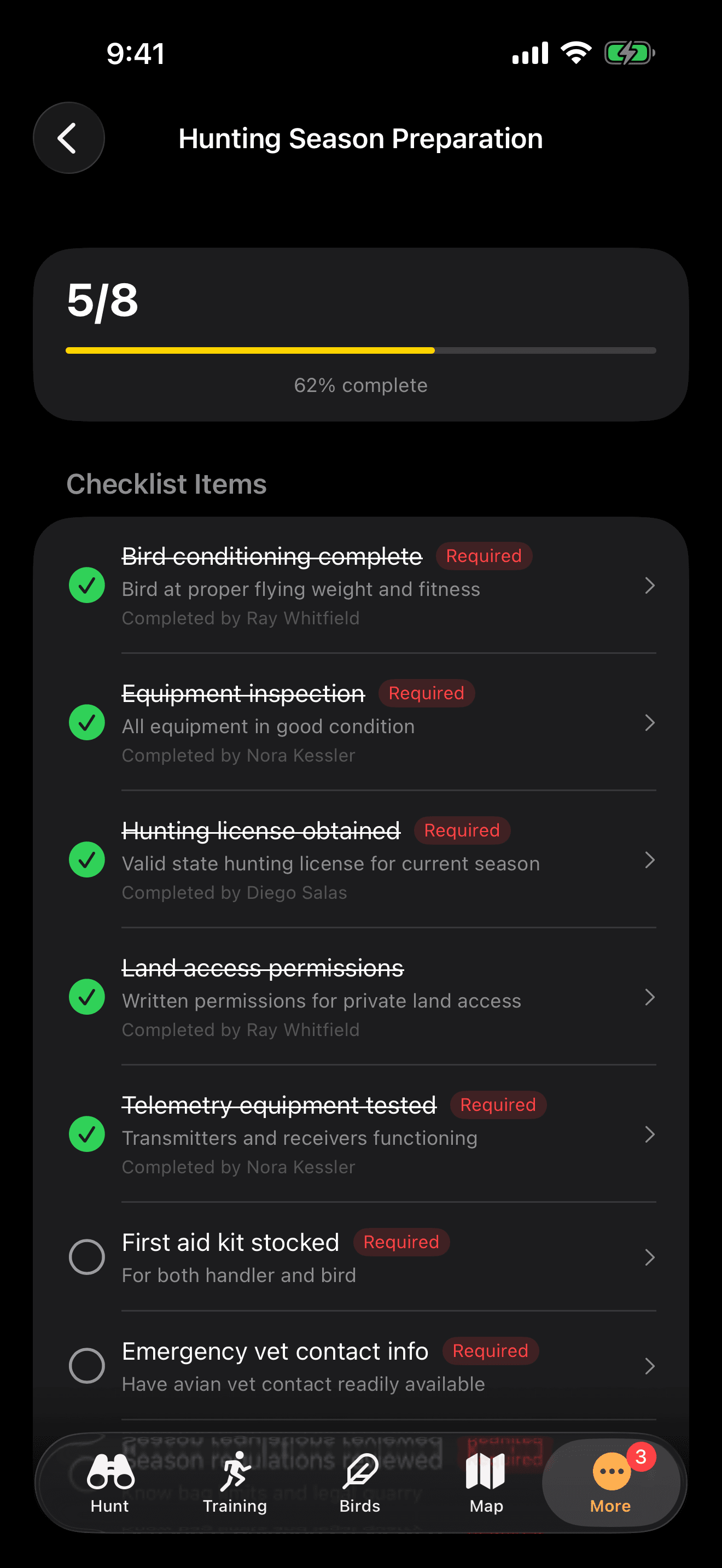
Built-in Compliance
Stay on top of federal and state regulations with built-in compliance tracking. Manage licenses, bird documentation, and regulatory checklists all in one place.
Offline-First Architecture
Falconry happens in places where cell towers do not reach. FalconryLab's offline-first architecture means every feature works without an internet connection, not as a degraded fallback but as the primary operating mode. Data is stored locally on your device and syncs automatically when connectivity returns, with intelligent conflict resolution that ensures nothing is lost even if you log entries on multiple devices between sync events. This is not an afterthought feature; it is a fundamental design decision that reflects how falconry actually works in the real world.
How Falconers Use Offline Mode
A falconer drives an hour into public land where there is no cell coverage. They weigh their bird on a portable scale, log the weight in FalconryLab, check the feeding calculator, and head into the field. Three hours later, they log a training session and a hunt. Everything is recorded locally. When they get back to cell coverage on the drive home, all data syncs to their iCloud backup automatically.
Analytics and Insights
Data without insight is just numbers. FalconryLab's analytics engine transforms your raw logs into visualizations and trend analyses that reveal patterns invisible in paper records. Weight trend charts with moving averages show your bird's condition trajectory over weeks and months. Training progress heatmaps identify the days, weather conditions, and session types that correlate with the strongest responses. Season summaries aggregate your entire flying season into a comprehensive report that measures improvement and identifies areas for growth.
How Falconers Use Analytics
At the end of January, the falconer reviews their season analytics. The weight trend chart shows that their bird performed best between 1,040 and 1,060 grams, the training heatmap reveals that morning sessions on clear days produced the strongest responses, and the hunt summary shows a 40% success rate on cottontails, up from 25% last season.
Traditional Methods vs. Digital Tracking
For decades, falconers have managed their birds with paper notebooks, kitchen scales, and mental calculations. These methods work, and they have produced generations of successful falconers. But they have limitations: notebooks get lost or damaged, handwritten records are difficult to analyze for patterns, calculations are prone to arithmetic errors under field conditions, and historical data becomes inaccessible once a season's notebook is filed away.
Digital tracking does not replace the falconer's judgment or experience. It enhances them. A falconer who can see their bird's weight trend over the past 30 days in a chart has more context for today's feeding decision than one relying on memory or a column of handwritten numbers. Automatic weather logging removes a recording task that most falconers skip, creating a dataset that reveals correlations between conditions and performance that would be invisible otherwise.
The goal is not to digitize falconry for its own sake. It is to give falconers better tools for the decisions they make every day, while preserving the hands-on, field-focused character of the sport that makes it meaningful. FalconryLab is a tool, not a replacement for experience. The best falconers will always be those who spend the most time with their birds in the field, and our aim is to make every minute of that time more informed and productive.
Ready to Experience FalconryLab?
FalconryLab for iPhone is on the App Store now. Free to start, and everything on this page works offline in the field.
Download on the App Store